Patch Wednesday Day (99/100) - Google Chrome CVE-2025-14765 Patch
Ashwani Paliwal
December 24, 2025
Today, we focus on deploying a patch to remediate CVE-2025-14765 which affects several Google Chrome versions before 143.0.7499.147
To check if this patch is relevant to you:
Go to Control Panel -> Programs -> Programs and Features and check if Google Chrome is installed on your system and the installed version is affected by CVE-2025-14765.
For further information related to this vulnerability, please refer to the support page.
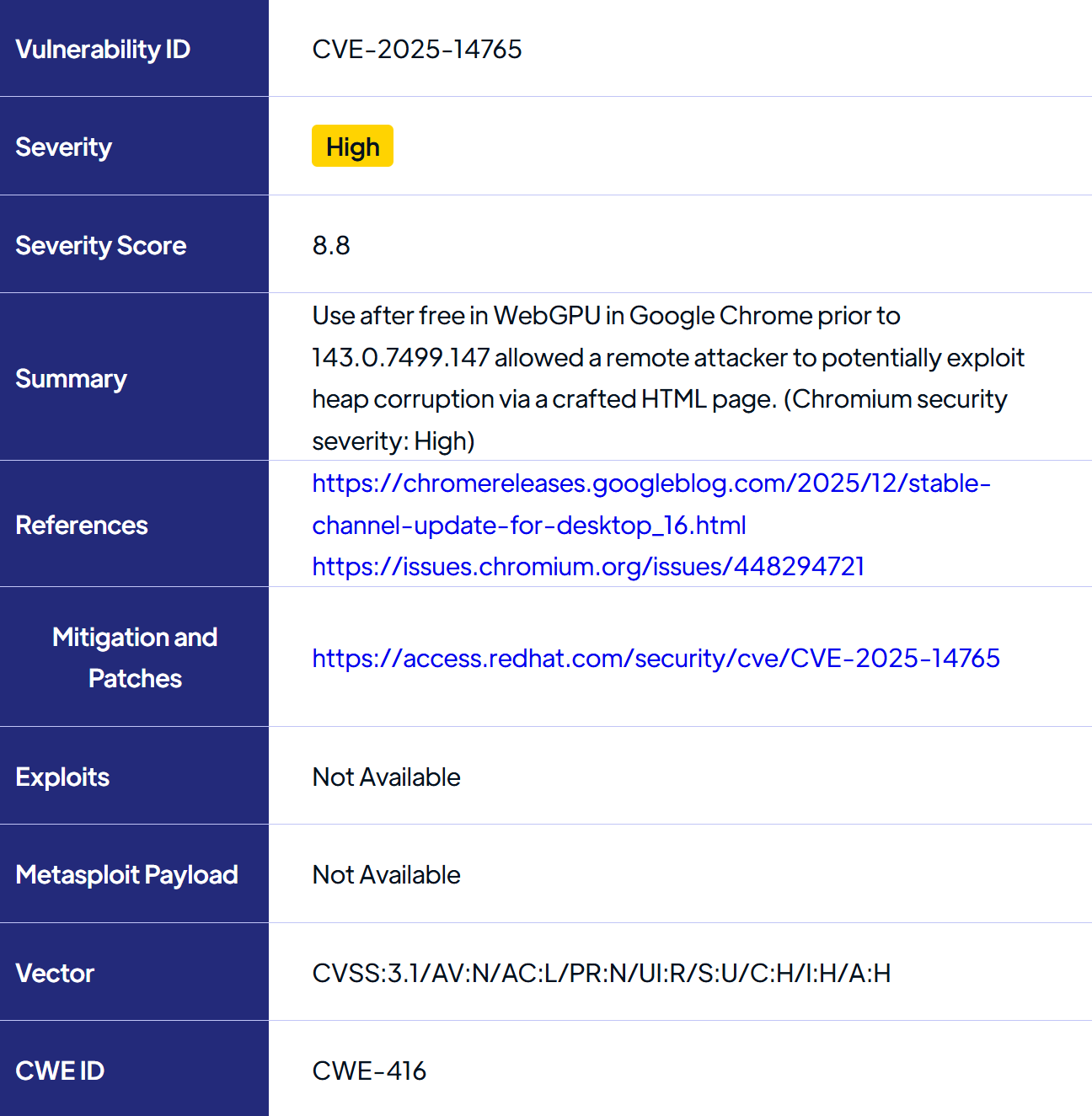
Vulnerability Details
Patch Deployment with SecOps Patch Management
Manual Patch deployment
You can download the patch from Patch Astra, just search for “CVE-2025-14765” and download the patch for your system. Alternatively, you can download the patch directly from the Vendor.
Once the patch file is downloaded on your target machine, go ahead and double-click on the .exe installer and now you just have to proceed and install the patch on your system.
This patch will not require any restart.
To verify the patch is applied correctly, go to Control Panel -> Programs -> Programs and Features, check for the version of the Google Chrome, and ensure that it is greater than 143.0.7499.147.
Important Note:
There are several key things to remember while deploying a patch. It is crucial to download the correct patch file that has been released for your system’s architecture, Operating System, and Build Version
It is crucial that you follow the right process or supply the correct commands while installing the patch
Understand if the patch requires a reboot of the system or not. If yes make sure to perform a reboot securely to avoid system corruption
SecOps Solution is an agentless patch and vulnerability management platform that helps organizations quickly remediate security risks across operating systems and third-party applications, both on-prem and remote.




.jpg)

.jpg)







